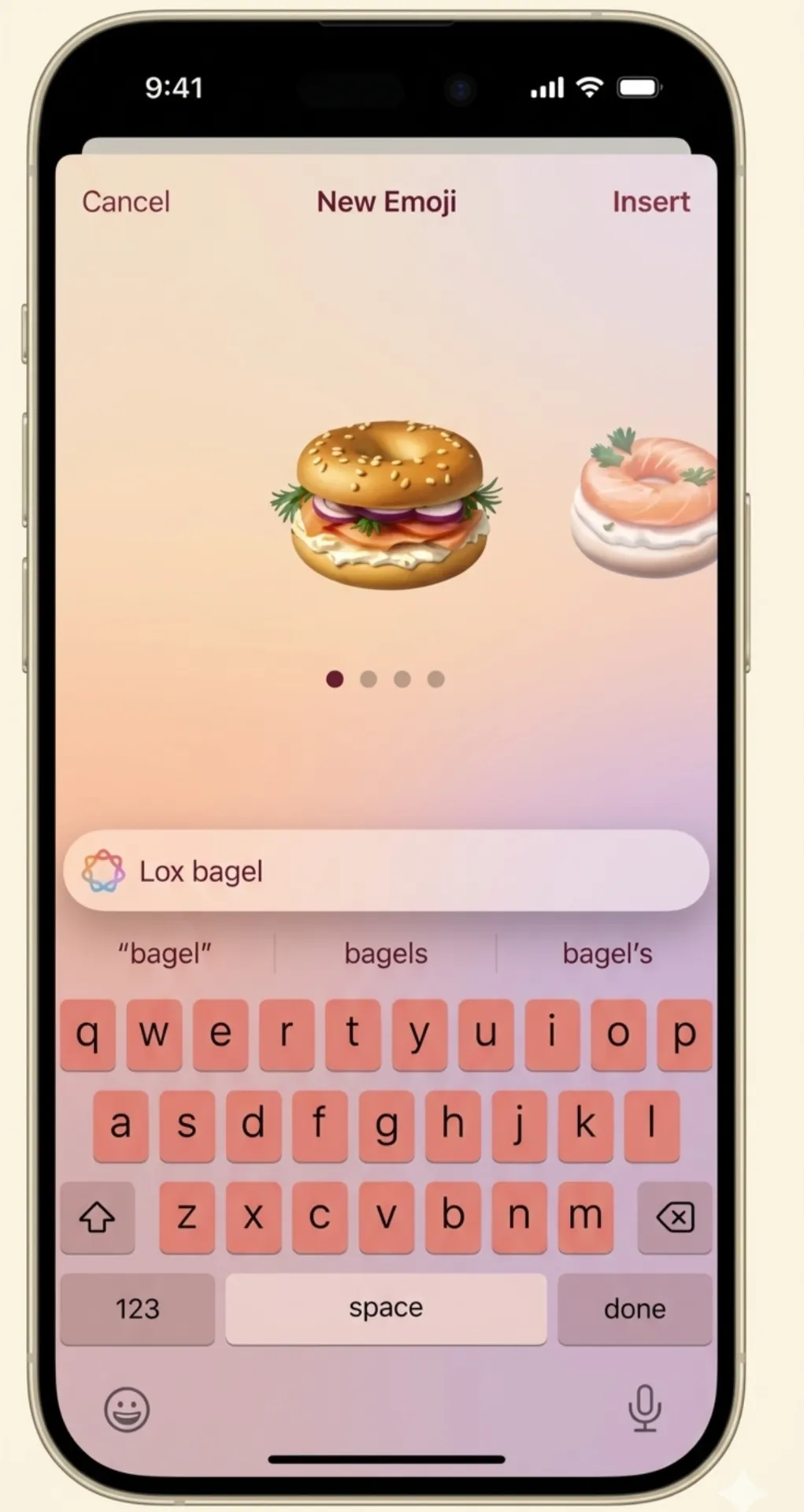
Apple is preparing a meaningful upgrade to Genmoji in iOS 27, and the core shift is bigger than it first appears. Rather than asking you to build every custom emoji from scratch, the system will start bringing ideas to you. This change could make Genmoji genuinely useful for everyday users — or quietly ignored if Apple gets the execution wrong.
The Most Important Change: Suggestions Come to You
The headline feature is called Suggested Genmoji. Instead of hunting through menus to create a custom emoji, the system will propose personalized ideas automatically. Two data sources drive these recommendations: your photo library and your keyboard history.
If you have taken pictures of your dog, decorated for a birthday, or typed the same nickname a hundred times, the system picks up on those patterns and turns them into emoji ideas. The result is a tool that learns what matters to you rather than waiting for you to figure it out yourself. That is a fundamentally different approach from how Genmoji originally worked.
Why This Actually Matters for Daily Use
Most people rarely use Genmoji, not because it is a bad feature but because it stays hidden unless you go looking for it. Apple appears to recognize this gap. By embedding suggestions directly into the keyboard flow — similar to how standard emoji pop up while you type — the feature becomes something you encounter naturally rather than something you have to seek out.
For casual users, this difference is significant. A feature you bump into regularly becomes a habit. A feature you have to remember to open stays a novelty. Apple is betting that better placement will fix the adoption problem that has limited Genmoji since launch.
Privacy Is Optional, Not Automatic
Because the feature draws on personal photos and typing habits, privacy is a legitimate concern. Apple is reportedly making Suggested Genmoji an opt-in toggle inside keyboard settings, meaning it will not run unless you choose to turn it on. That decision matters because automatic personalization based on your photo library can feel invasive if you have no say over it.
What remains unclear is how much of the processing happens on your device versus Apple’s cloud servers. On-device handling would be the more privacy-friendly option, but Apple has not confirmed that detail yet. Until those specifics are public, privacy-conscious users will have a reasonable reason to wait before enabling it.
Potential Weaknesses Worth Watching
Three risks stand out. First, the suggestions could be too generic to feel personal. If the system offers obvious or repetitive ideas, users will switch it off quickly and never return. Second, too many automatic prompts could feel more like noise than help, especially for people who prefer a clean keyboard experience. Third, the line between genuinely useful and annoyingly intrusive is thin when personalization is involved. Apple will need accurate, well-timed suggestions to avoid crossing it.
The success of this upgrade depends almost entirely on whether the recommendations feel earned rather than random.
What Fits Into Apple’s Bigger Picture
This update is consistent with how Apple has been handling AI features across its platforms. The strategy is not to make AI feel futuristic and separate — it is to make AI feel invisible and practical. Suggested Genmoji follows the same logic: pull useful intelligence into tools people already use every day, and let the AI work in the background rather than in the spotlight.
If the feature works well, it also tightens the connection between Messages, Photos, and the keyboard — three apps that sit at the center of how people use an iPhone. That ecosystem stickiness is almost certainly part of Apple’s thinking.
What Is Still Unconfirmed
Apple has not officially announced Suggested Genmoji yet. Supported devices, regional availability, rollout timing, and whether suggestions will appear in the keyboard, inside Photos, or both remain open questions. The final version may look different from current reports.
Bottom line: Apple is trying to turn Genmoji from a tool you build with into a tool that builds for you. If the suggestions hit the mark, this could become one of the more quietly useful features in iOS 27.