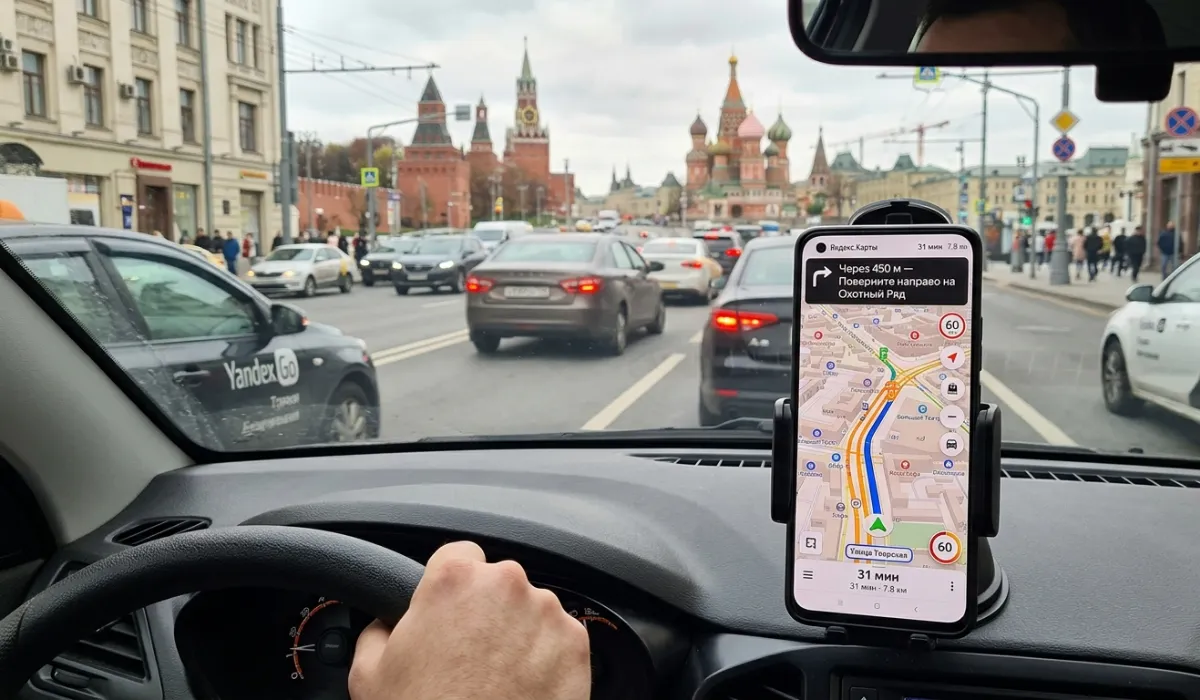
Yandex Maps just gave drivers a reason to stop dreading tunnels and parking garages. The company rolled out a “Step-by-Step” mode for Apple CarPlay and Android Auto in mid-June 2026, and it tackles a problem every navigation app has struggled with: what happens when GPS just stops working.
The Problem It Fixes
You know the moment. You enter a tunnel, drive into an underground garage, or get stuck between tall buildings downtown, and your navigation app loses its mind. The route rebuilds itself randomly, the blue dot jumps around the map, and you’re left guessing which way to turn.
Yandex built Step-by-Step mode specifically for these GPS dead zones. Instead of falling apart when the signal drops, the app switches to schematic arrows that show your next move. Each hint gives you three things: which direction to turn, how far until your next maneuver, and a landmark to confirm you’re on track. Once you finish that step, you tap the screen to pull up the next one.
It’s manual, sure. But manual beats broken.
Why the Landmark Feature Matters More
Here’s the part that actually changes how you drive. Yandex says it’s the first navigation app in Russia to point you toward visible landmarks instead of street names alone. So instead of “turn left at Pushkina Street,” you get “turn left after the pharmacy.” The app draws from a database of more than 10,000 landmarks across the country, covering pharmacies, gas stations, shopping centers, monuments, and other spots you’d actually notice while driving.
Think about why this works. Street signs require you to read, process, and match what you see to a name on a screen. A pharmacy or a gas station, you just recognize. That’s a faster mental shortcut, especially in a city you don’t know well.
What Else Is Already There
Step-by-Step mode didn’t arrive alone. It joined a feature set that’s been building since Yandex first brought Maps and Navigator to CarPlay and Android Auto back in 2021:
- Search on the dashboard. Find addresses and places without touching your phone.
- Traffic-aware routing. Routes adjust around jams and reported incidents.
- Speed alerts. Warnings for speed limits and camera locations, even without an active route.
- Saved places. Bookmarks sync over from your Yandex Plus account.
None of this is new on its own. What’s new is having it all on the car screen, where you actually need it.
The Catch
You need an active Yandex Plus subscription to use any of this in Android Auto or CarPlay. No subscription, no feature, full stop. You’ll also need the Yandex Maps or Navigator app installed on your phone, plus a CarPlay- or Android Auto-compatible vehicle. None of that is unusual for this kind of integration, but it’s worth knowing before you assume the feature just works out of the box.
The rollout is Russia-focused for now. The landmark database draws on Russian cities, so don’t expect the same depth of coverage if you’re driving elsewhere.
How to Prioritize This If You’re a Driver
If you regularly hit tunnels, underground parking, or dense city centers with spotty signal, this update solves a real annoyance. Turn it on and let it run quietly in the background until you actually need it.
If you mostly drive on open roads with reliable GPS, you won’t notice much difference day to day. The landmark prompts are the more universally useful piece, since they make every turn a little easier to follow.
Either way, check that your subscription is active before you head out. Nothing kills the value of a feature faster than discovering it’s locked behind a paywall mid-drive.
This fixes a real problem, not a feature nobody asked for. If you drive in Russia and deal with patchy signal underground or downtown, turn it on now.
Pros
Fixes a problem drivers actually hit: GPS drops in tunnels, garages, and downtown canyons
Landmark cues beat street names. You spot a pharmacy faster than you read a sign
Stacks onto an already capable lineup: traffic-aware routing, speed alerts, dashboard search, synced saved places
Runs quietly until you need it, no extra setup required
Cons
You tap the screen to advance each step. Automated turn-by-turn doesn’t ask that of you
No Yandex Plus, no feature. The subscription wall has no workaround
Russia only. The landmark database covers Russian cities, so it’s useless if you’re driving elsewhere
Open roads with steady signal won’t show you any difference
Stick to open highways with solid reception, and you probably won’t notice this update exists. Everyone else gets a tool worth keeping on.