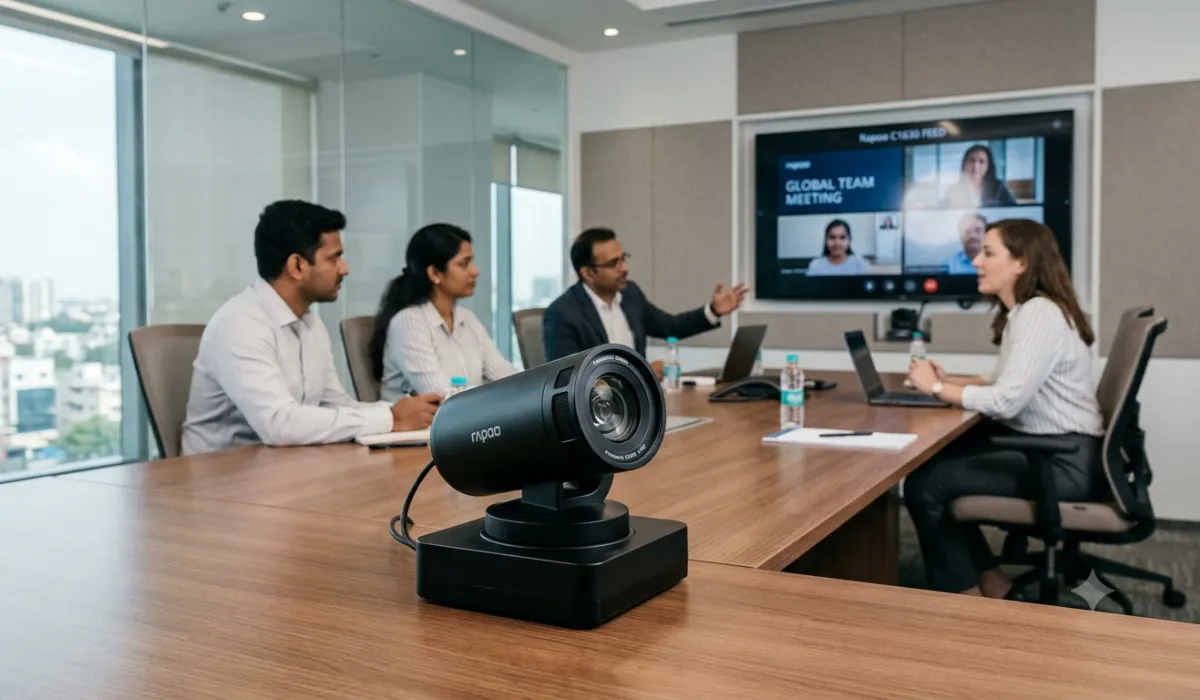
Rapoo just dropped the C1630 into the Indian market, aimed squarely at offices, classrooms, and boardrooms that have outgrown a basic webcam. I went through the specs to figure out where this camera earns its keep and where buyers need to slow down before committing budget.
What you’re actually getting
The C1630 is a motorized PTZ camera, meaning it pans, tilts, and zooms on its own instead of sitting fixed in one spot. It covers 340 degrees horizontally and 120 degrees vertically, with 12x optical zoom backed by a Panasonic CMOS sensor. For anyone who’s sat through a meeting where half the room is invisible to remote attendees, that range solves a real problem.
The AI tracking is the feature that matters most day to day. It follows whoever’s speaking and can widen out to frame a whole group, so nobody has to grab a remote and manually nudge the camera every time someone new starts talking. Rapoo also built in low-light correction, noise reduction, echo cancellation, and reverb control, which together suggest this camera was designed for rooms with hard walls and inconsistent lighting, not a tidy home studio.
On the connection side, it supports HDMI, USB 3.0, RJ45, RS232, and RS485, plus PoE. It runs on Windows, macOS, Linux, and Android, and works with Zoom, Teams, Google Meet, Skype, FaceTime, QQ, and WeChat. Rapoo calls it driver-free and plug and play, which, if true, takes a chunk of setup pain off an IT team’s plate.
Where to focus your attention before buying
Here’s the catch: Rapoo hasn’t published a price for India. The camera is going through authorized partners and resellers instead of retail shelves, so you’re looking at a quote-based purchase rather than an MRP you can compare against competitors. If you’re managing a budget, get that quote in writing early and ask the reseller to confirm the warranty terms in the same conversation, since the 24-month coverage is the one concrete number Rapoo has committed to.
I’d also push back gently on treating the spec sheet as the whole story. Optical zoom and AI tracking sound impressive on paper, but how well they perform depends on room size, lighting, and how your existing AV setup is wired. Ask your reseller for a demo in a room similar to yours, not a polished showroom.
Dual-stream output with H.264 and MJPEG is worth a mention too. It lets the camera send a high-quality feed for recording and a lighter one for live streaming at the same time, which matters if your office records meetings for people who couldn’t attend. Confirm with your IT team that your recording software can actually use that second stream before you count it as a selling point.
Who should actually prioritize this camera
If you’re running a midsize conference room, a hybrid office where remote and in-person staff need equal visibility, or a smart classroom where a teacher moves around while lecturing, the C1630 is squarely built for that. The PoE support and wide connectivity options also make it a sensible pick for IT teams managing several rooms at once, since one cabling standard simplifies maintenance.
If you just need a camera for a single desk or a one-on-one video call setup, this is overkill. The price-on-request model and enterprise connectivity options point toward institutional buyers, not solo users.
How to manage the decision
Treat this purchase the way you’d treat any AV equipment buy: get the quote, confirm installation requirements (PoE switch or separate power, mounting options), and check that your existing conferencing software actually supports the camera’s features rather than just recognizing it as a generic webcam. AI tracking and auto-framing only help if the platform you’re using lets the camera’s smart features run unobstructed.
Bottom line
The Rapoo C1630 looks like a solid, business-focused PTZ camera with real room-coverage advantages over a fixed webcam. The missing price tag is the one thing standing between a confident recommendation and a wait-and-see verdict. Get the quote, test it in your actual room, and you’ll know within a day whether it earns the upgrade.