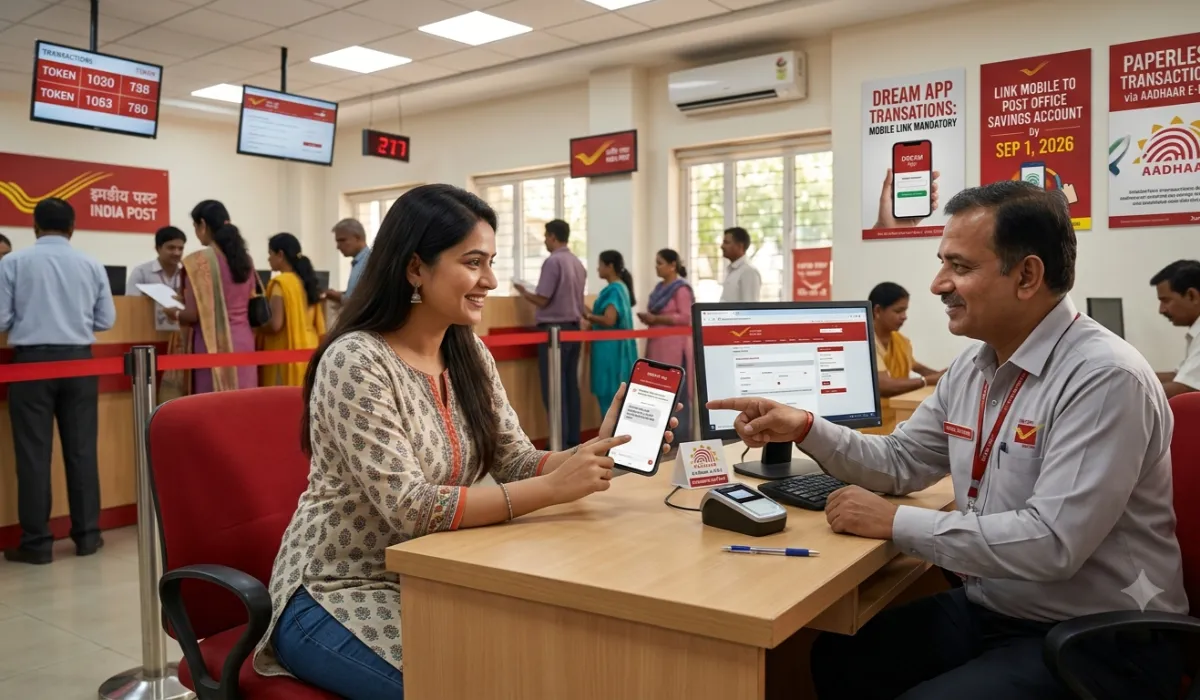
Starting September 1, 2026, your post office account needs a registered mobile number, or the DREAM app stops working for you. That’s the headline. Everything else in this guide helps you act on it before the deadline hits.
India Post is rolling out Aadhaar e-KYC and biometric verification at branch counters, letting customers skip the paperwork for many everyday transactions. The rules come from Post Office SB Order No. 06/2026. If you bank with India Post, here’s what changes and what to do about it.
The One Thing You Need to Check First
Open your passbook or call your branch and ask: is my mobile number linked to my account? That single check decides whether DREAM app transactions work for you after September 1.
No mobile number on file means no deposits, withdrawals, or transfers through the app. You’d still be able to walk into a branch and use biometric verification or a counter transaction, but the convenience of doing it from your phone disappears.
How Linking Your Mobile Actually Works
Visit your branch with your Aadhaar card and your phone. The Branch Post Master scans your fingerprint or iris, or sends an OTP if the scanner doesn’t work for you. Once that verification clears, your Customer Information File gets updated, and your mobile number goes live.
This takes one branch visit for most single-account holders. Joint accounts are slower: every required holder needs to complete e-KYC separately, and the app may stay limited until all of them have.
If you’re the guardian on a Sukanya Samriddhi account, you’ll need to complete Aadhaar verification yourself, since the rules treat your authentication as a condition for the account’s transactions.
What You Can Now Skip
The bigger change here isn’t just the mobile rule. India Post is cutting the pay-in-slip requirement for many small deposits. Show up, verify your identity by fingerprint or OTP, hand over the cash, and the system handles the rest. No form, no signature.
This applies up to certain transaction limits that the SB Order spells out. Above those limits, you’re back to physical paperwork and full KYC. The exact rupee figures aren’t something I can confirm from what I’ve reviewed here, so check with your branch or the order itself before you plan a large withdrawal around this.
Priorities, in Order
If you only do three things before September, do these:
- Confirm your mobile number is linked. This is the deadline that actually bites. Everything else is convenience; this is access.
- Complete Aadhaar e-KYC if you haven’t. Biometric first, OTP as backup. Bring a second ID in case both fail and you need manual verification.
- Sort out joint accounts now, not later. Coordinate with co-holders so nobody’s left stuck mid-transaction because someone else hasn’t verified yet.
Watch Out for These Snags
A few situations trip people up. If you recently changed your phone number but didn’t update it at the branch, your OTPs are going to a number you don’t use anymore. Fix that before you need to make an urgent withdrawal, not during one.
If you share a household phone number across family accounts, ask your branch whether that’s allowed for OTP purposes. Some branches restrict shared numbers to stop one person from authenticating transactions for someone else.
And if your fingerprint doesn’t read well, due to age, manual work, or an old injury, don’t panic. OTP fallback exists for exactly this reason, and if that also fails, a supervisor can approve manual verification with your ID documents.
The Bottom Line
The deadline matters more than the mechanics. Get your mobile linked, get your Aadhaar verified, and the rest of this becomes paperwork you no longer have to deal with. Skip it, and you’ll find yourself standing at a counter on September 2 wondering why the app won’t let you in.
Check your local branch for rollout timing. Some offices have the biometric devices ready now; others are still catching up. Don’t assume your branch is fully live until someone there confirms it.