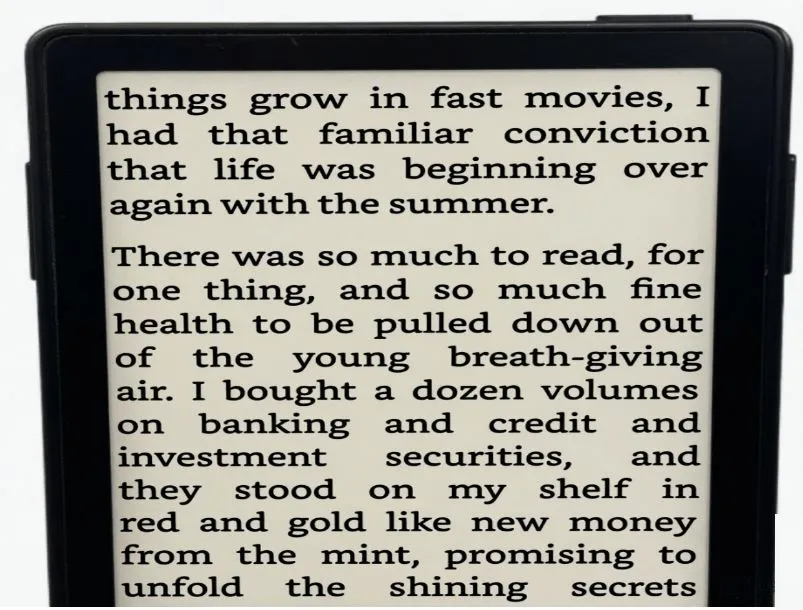
The Xteink X3 solves a problem most e-readers ignore — the fact that your reading device and your doom-scrolling device are the same object. This credit card-sized gadget snaps magnetically onto the back of your iPhone or Android phone, giving you a dedicated reading screen without carrying an extra device in your bag.
At $79, it costs less than most entry-level Kindles and ships globally from xteink.com. Over 10,000 units have gone out since the April 2026 launch, and a growing Reddit community (r/Xteink, 5K+ members) keeps the ecosystem alive with tips and custom firmware tweaks.
Display and Reading Quality
The 3.7-inch E Ink Carta 1200 screen runs at 250 PPI — sharp enough that text clarity rivals much larger e-readers. Page refresh happens in 250 milliseconds for partial updates, which feels smooth during regular reading. Full refreshes take about one second and clear ghosting effectively.
One honest limitation: the screen is small. PDFs and complex layouts can feel cramped, and some users will need to bump up font sizes or wear reading glasses for extended sessions. Stick to EPUBs and TXT files for the most comfortable experience.
Build and Portability
Weighing just 58 grams and measuring roughly 98 × 64 × 5 mm, this is genuinely pocketable hardware. The matte plastic body has rubberized edges for grip, and an IP54 rating means light rain and dust won’t damage it. Lab tests show it survives drops from 1.2 meters onto concrete — reasonable protection for commuter use.
MagSafe attachment works best on iPhone 12 and newer, where the magnetic hold is excellent. Android users with Qi-compatible phones get a good (not perfect) connection; those without MagSafe can use an adhesive ring. Thick phone cases may weaken the hold — the included shim helps, but removing the case works better.
Battery Life and Charging
An 800 mAh battery delivers up to 14 days of use at around 30 minutes of daily reading — a genuine set-and-forget battery life. Charging takes 90 minutes via the included magnetic pogo-pin charger. The standby drain is negligible at under 0.1% per day.
The proprietary charger is the one legitimate frustration here. No USB-C means one more cable to track. It’s a conscious trade-off for the slim 5mm profile, but worth knowing upfront.
Software and Navigation
Three physical buttons handle all navigation: power, page turn (up/down), and a menu rocker for selections. There’s no touchscreen, which takes getting used to but also means no accidental taps. Haptic feedback confirms button presses.
The interface covers the essentials well — dark mode, bookmark stacking, reading stats, seven font families including OpenDyslexic, adjustable line spacing, and landscape/portrait lock. A high-contrast mode and large-print presets up to 48pt make it accessible for vision-sensitive users.
Content transfer works three ways: Wi-Fi browser interface, Bluetooth, or direct microSD slot access. No app or account required. Supported formats include EPUB, TXT, MOBI, PDF (reflowable only), and CBR/CBZ comics. No DRM support natively.
Key Trade-Offs at a Glance
|
What Works Well |
What Doesn’t |
|
Razor-sharp 250 PPI screen |
No touchscreen or frontlight |
|
Attaches/detaches in seconds |
Proprietary pogo-pin charger |
|
Two-week battery life |
No dictionary or highlighting |
|
True distraction-free reading |
PDFs feel cramped |
|
IP54 + drop resistance |
Magnets struggle with thick cases |
Who Should Buy It
The X3 is built for commuters, students, and anyone who keeps picking up their phone to read but ends up on social media instead. It’s best paired with pre-loaded EPUB classics or personal TXT files. If you want audiobooks, a built-in light, or touchscreen navigation, look at a Kobo or Kindle instead.
For behavioral habit-building around reading, though, nothing at this price point creates the same separation between “phone brain” and “reading brain.” That focus is the product — and at $79, it earns it.