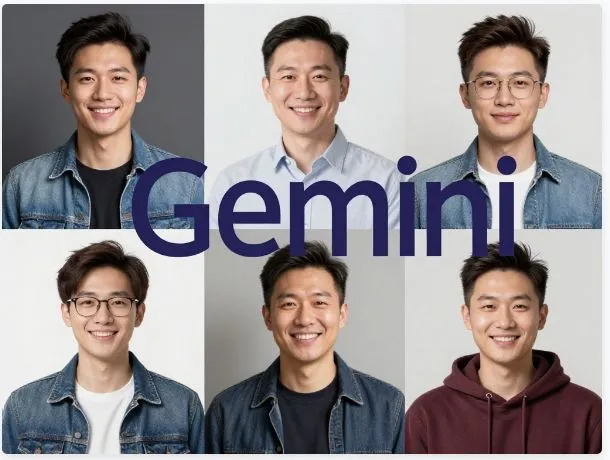
So picture this: you want to create a fun image of your family doing something adventurous, but instead of spending ten minutes typing out every detail — hair color, skin tone, your kid’s favorite toy, the living room’s wall color — what if the AI already knew all of that? That’s exactly what Google is pulling off with Gemini’s new Personal Intelligence feature, and honestly, it’s one of the more exciting things to come out of the AI space recently.
The Big Idea
Think of it like giving Gemini a peek into your photo album before asking it to paint you a picture. Once you link your Google Photos library to the Gemini app, it quietly studies your world — the faces of people you love, the places you’ve been, the aesthetic of your home, even the color of your couch. Then, when you type something like “show my family on a beach vacation in a cartoon style,” Gemini doesn’t guess. It knows who your family is, and it pulls from your actual photos to make something that genuinely looks like your life.
The image generation is powered by a model called Nano Banana 2, which handles everything from photorealistic portraits to stylized animations. And the cool part? No manual uploads. No reference images. Just a simple, natural prompt.
Setting It Up Is Surprisingly Easy
Getting started takes about two minutes. Open the Gemini app, head into Settings, find Personal Intelligence, and toggle on Google Photos. That’s it. From that point, every time you ask for a personalized image, Gemini goes straight to your library for context.
You can also fine-tune things — exclude certain albums, block specific people from being used, or limit it to recent photos only. There’s even a privacy dashboard that shows you exactly which photos influenced each image it generated. That level of transparency is rare, and it genuinely makes the whole thing feel less like a black box.
Where It Gets Really Fun
This is where things go from useful to genuinely impressive. Imagine asking Gemini to redesign your kitchen in a minimalist style, and instead of generating some generic Pinterest-looking room, it actually incorporates the layout and colors from photos of your actual kitchen. Or you want a holiday card, and instead of a stock family silhouette, you get something that looks like your kids.
It goes even further when you layer in other Google apps. Planning a trip? Gemini can pull your past travel photos and your Gmail itineraries to suggest spots that match your actual travel taste. For content creators or bloggers, this becomes a serious workflow upgrade — imagine generating twenty thumbnail variations featuring your real desk setup, with your actual devices in frame.
A Few Things to Watch Out For
It’s not perfect. Since it learns from your photo library, it can get a little overeager — like assuming you’re still into a hobby because you took a lot of photos of it two years ago. The fix is simple though: just tell it in your prompt (“use only recent photos” or “I don’t golf anymore”) and it adjusts. Face matching can also occasionally miss the mark in photos with tricky lighting, but the feedback loop is built-in, so thumbs-down responses actually help train it over time.
Who Can Use It Right Now
If you’re in the US and subscribed to Google’s AI Pro or Ultra plan (roughly $20+ per month), you should be getting access through April 2026. Android users are first in line, with iOS and web coming shortly after. For folks in India — including Hyderabad — the rollout is expected around Q3 2026, once it clears compliance with the DPDP Act. A free tier with basic features is planned for later in the year.
The Bottom Line
What makes this feel different from other AI image tools is that it stops treating you like a stranger. Most AI generators hand you something generic and ask you to describe your whole life in a text box. Gemini’s Personal Intelligence flips that — it meets you where you already are, inside a photo library you’ve been building for years. That shift, from generic to genuinely personal, is what makes this worth paying attention to.