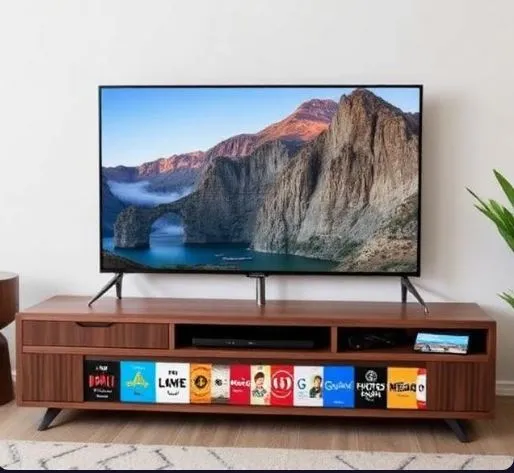
Picture this: you’re flopped on the couch after a long day, and your Samsung TV quietly starts showing a slideshow of your trip to the mountains from two years ago — no phone, no casting, no fiddling with remotes. That’s exactly the kind of experience Google and Samsung are going for with their new integration, and honestly, it’s pretty clever.
So here’s the story. Google Photos has always been a phone-and-laptop thing. But starting in early 2026, select Samsung TVs are getting a native Google Photos experience baked right into the TV’s interface. Not as some buried app you have to hunt for, but woven into the home screen itself.
The way it shows up is kind of genius. There are three spots where you’ll bump into it. First, there’s a scrolling strip on the home screen called the Daily+ row — think of it like a little film reel of your memories playing quietly while you decide what to watch tonight. Second, there’s a dedicated Google Photos tile you can tap into for a proper full-screen memory gallery. And third, if you use Samsung’s Daily Board, there’s a widget that surfaces your photos like a digital picture frame. All three areas pull from the same place: your Google Photos Memories.
Now, “Memories” is the key word here. This isn’t giving you access to every single photo in your library. It’s more like Google Photos takes a look at your collection, picks out the good stuff — your beach trips, birthday dinners, random Tuesday afternoons that somehow turned into great shots — and presents them as curated mini-stories. It groups things by people, places, and moments. Think of it less like a filing cabinet and more like a friend flipping through your photos saying, “Oh hey, remember this?”
Getting set up is pretty painless. You sign into your Google account on the TV, scan a QR code with your phone to confirm it’s you, and within minutes your Memories start appearing. From that point on, the TV quietly refreshes things in the background, so new Memories keep showing up over time without you doing anything.
One thing worth knowing upfront: you’re in control of what appears. If there’s a person, a pet, or a period of time you’d rather not see pop up on the big screen, you can exclude them in your settings. And the nice part is those choices sync across your phone and the TV, so you only have to manage it once.
That said, this thing does have its limits right now. You can’t search your photos by typing something like “show me all photos from Goa.” You can’t browse your full library the way you would on your phone. And you definitely can’t edit or reorganize anything from the TV — all of that still happens on mobile or web. For now, the TV is purely a viewer, not an editor.
But here’s where it gets interesting for the future. Later in 2026, Samsung and Google plan to roll out AI-powered features — things like turning your photos into short video montages, applying artistic style filters, and even letting you pull up topic-based slideshows by saying something like “show me hiking memories.” That last one, called Personalized Results, is basically search without a search box, which feels much more TV-friendly.
The feature launches on 2026 Samsung QLED, Neo QLED, and OLED models, with a rollout planned for some older supported TVs via software updates. It’s also exclusive to Samsung for roughly six months before it might appear on Google TV or other platforms.
For families especially, this feels like a genuinely useful addition. Instead of the TV just being the thing you watch Netflix on, it starts becoming a living, breathing family album — one that takes care of itself. And that’s a pretty nice thing to come home to.