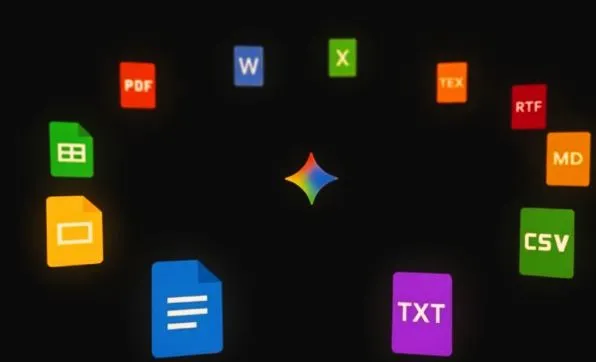
Artificial intelligence tools are evolving fast, and Google Gemini just made a move that directly changes how everyday users handle document work. The new file generation feature — rolled out globally by early May 2026 — lets you produce fully formatted, downloadable files straight from a chat conversation. No switching apps, no copy-pasting, no reformatting. Here’s a priority-based breakdown of what matters most.
- The Core Idea (Start Here)
The most important thing to understand is what this feature actually does: you type a plain-language instruction, and Gemini builds a real, downloadable file around it. Ask for a budget spreadsheet, a project proposal, or a bilingual legal document, and you get a finished file — not raw text you have to clean up yourself. A download button appears alongside a preview, and you can push it straight to Google Drive or save it locally. That single capability alone removes several steps from most professional workflows.
- Formats Supported (Know Your Options)
The range of supported file types is broad enough to cover nearly every common work scenario:
- Documents — PDF, DOCX, Google Docs, RTF, plain text (.txt), Markdown (.md)
- Spreadsheets — XLSX, CSV, Google Sheets
- Presentations — Google Slides (exportable to PPTX)
- Technical — LaTeX (.tex) for academic or research use
Each exported file stays fully editable in its native application. Formulas remain active in spreadsheets, animations work in slides, and document formatting holds up in Word or Docs. This isn’t a flat export — it’s a live, functional file.
- Who Benefits Most
Prioritize learning this feature if you fall into any of these groups:
Professionals dealing with client-facing documents will save significant time. Drafting a formatted PDF proposal or exporting a data table as an Excel file used to require multiple tools. Now it’s one prompt.
Teams producing recurring deliverables — weekly reports, meeting decks, budget summaries — can chain sequential requests. Ask for the spreadsheet first, then follow up with “now create a PDF summary of that sheet” to build a small document suite within a single session.
Researchers and educators benefit from LaTeX support, which handles equations, bibliographies, and academic formatting that most AI tools skip entirely.
Regional and multilingual users — particularly relevant for India — get native handling of bilingual documents, regional date formats, and currency symbols without manual correction afterward.
- How to Get Better Results
Vague prompts produce average output. Specific prompts produce polished files. The difference is in the details you include upfront:
- Mention the exact format: “Output as Excel…” or “Generate as a 2-page PDF…”
- Specify layout details: page size, font, number of columns, chart type
- Include data scope: “…for Q2, Hyderabad region, include totals row and pie chart on revenue”
Gemini retains the conversation context, so you can refine iteratively — “Bold the headers and add a SUMIF formula in column F” — without starting over. This makes complex documents achievable through short, layered instructions.
- Limitations to Plan Around
A few constraints matter before you rely on this heavily:
- One file per prompt — multiple file requests must be sent sequentially, not simultaneously
- File size caps — free users are capped at around 10MB; Gemini Advanced raises this to 50MB
- Generation timeout — complex files may hit a five-minute processing limit
- No image or video generation — charts must be described in text; raw image embeds aren’t yet supported
- Complex visuals may need follow-up prompts to reach the quality you want
- Access and Cost
The feature is free for all Gemini users across web, Android, and iOS — no subscription required for core functionality. Free accounts get approximately 50 file generations per day. Gemini Advanced unlocks larger files, faster processing, and API access for teams. Workspace subscribers get collaborative export directly into shared team files with enterprise-grade security, including SOC2 compliance and audit logs.
Bottom Line
Gemini’s file generation feature is genuinely useful, not just a novelty. The priority order for most users: understand the format options first, master specific prompting second, then build multi-step workflows. The limitations are real but manageable with sequential requests and clear instructions. For anyone regularly producing reports, data exports, or formatted documents, this removes meaningful friction from daily work.