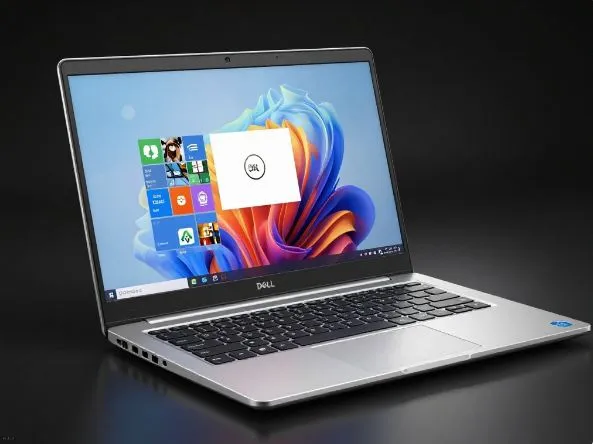
Picture this — your friend walks in carrying the thinnest laptop you’ve ever seen, slides it across the table, and just smiles. That’s exactly the energy Dell is putting out with the new XPS 14 and XPS 16. These two got a proper refresh for 2026, and they landed in India just last month. So let’s talk about what’s actually going on inside those gorgeous aluminum shells.
First, the basics — who are these for?
Think of the XPS 14 as the one for the person who’s always moving. It weighs just 1.36kg and sits at 14.6mm thin — which, if you’ve ever lugged around a chunky work laptop on a flight, sounds like heaven. The XPS 16 is for the creator who needs a bigger canvas but still refuses to carry a brick. It comes in at 1.65kg, same slim profile. Both machines are carved from CNC-machined aluminum and look honestly stunning in person.
The brains of the operation
Now here’s where things get interesting. Dell stuffed both of these with Intel’s Core Ultra Series 3 chips — specifically the Ultra 7 355H or the beefier Ultra X7 358H. These aren’t just fast processors; they have a dedicated AI engine (called an NPU) that pumps out 50 TOPS of AI performance. In plain language, that means your laptop can handle things like real-time captions, background blur on video calls, and smart photo editing without even breaking a sweat — all running locally on the device, not in the cloud.
Dell claims the XPS 14 is 57% faster than its previous generation at AI tasks, while the XPS 16 jumps an even more dramatic 78%. That’s not just marketing fluff — that’s a genuinely different computing experience for anyone doing creative or productivity work.
The screens are the real showstoppers
Okay, your friend who handed you that laptop? You’re now just staring at the screen. The XPS 14 can rock a 2.8K OLED touchscreen running at up to 120Hz with Dolby Vision support. The XPS 16 goes even further with a 3.2K OLED InfinityEdge display that adaptively shifts between 20Hz and 120Hz depending on what you’re doing — saving battery when you’re reading, going silky smooth when you’re scrolling or editing video.
If color accuracy matters to you — say you’re a photographer or video editor — these panels are factory-calibrated and Pantone Validated. The XPS 16’s premium display hits a Delta E under 1, which is the kind of accuracy professional colorists dream about.
Battery life — will it actually last?
Here’s the part nobody wants to be disappointed by. Both models pack a 70Wh battery, and Dell claims up to 40 hours of video playback. Real-world testing suggests you’ll land closer to 21 hours on the LCD variant and around 15 hours on the OLED. Still — 15 hours from a thin-and-light OLED laptop is genuinely impressive. And if you’re running low, the 100W charger gets you to 80% in roughly an hour.
Graphics and the “but can it game?” question
Base configs come with integrated Intel Arc graphics, which handles everyday tasks, light photo editing, and even some gaming reasonably well. But if you need more firepower, there’s an optional NVIDIA GeForce RTX 4050 (or RTX 4070 on the XPS 16) for heavier video production or gaming sessions. Just don’t expect miracles from the base GPU if you’re trying to render complex 3D scenes.
Know before buying
The RAM is soldered. There’s no upgrading it later. So when you’re configuring your order — go up to 32GB if your workflow involves anything serious. The SSD, thankfully, is user-replaceable and can go all the way up to 4TB.
So, should you buy one?
The XPS 14 starts at Rs. 2,05,990 and the XPS 16 at Rs. 2,78,550, with no-cost EMI options and up to 10% bank discounts available right now. If you want a premium, thin, AI-capable laptop that doesn’t make you choose between portability and performance — these are genuinely hard to beat at this price point in India. Just configure wisely from the start.