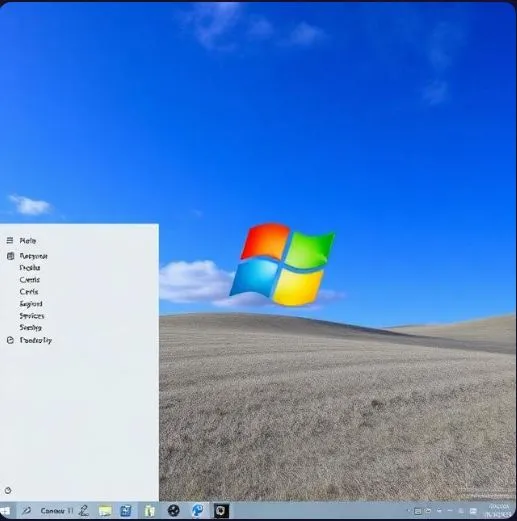
If you’ve ever switched from Windows 10 to Windows 11 and immediately felt like something was off, you’re not imagining things. That strip of icons glued to the bottom of your screen? Yeah, Microsoft decided in 2021 that you no longer needed to move it. No top, no sides — just bottom, center, take it or leave it. A lot of people left it, at least emotionally.
Well, after years of complaints, the company is finally waving the white flag. A native, movable taskbar is coming to Windows 11 in 2026, and honestly, it’s a bigger deal than it sounds.
So What Exactly Is Changing?
Picture this: you open Settings, click on Personalization, find the Taskbar section, and there it is — a simple dropdown asking where you want your taskbar. Top, bottom, left, or right. You pick one, and the whole bar slides over instantly. No restart, no sketchy registry file to edit at midnight, no third-party app that breaks every time Windows updates.
There’s also a compact mode coming alongside it — think of it as a “slim fit” version of the taskbar that shaves off about 20–25% of its height. For anyone running a 4K monitor or an ultrawide screen, this is genuinely exciting because it hands back precious vertical real estate without making everything look squished.
Why Did It Disappear in the First Place?
When Windows 11 launched, Microsoft was chasing a cleaner, more “modern” aesthetic. The centered Start menu, the rounded corners, the whole vibe — it was designed to feel fresh, almost tablet-friendly. Moving the taskbar didn’t fit that vision, so it got quietly removed.
The problem? Millions of people had spent years building muscle memory around a left-side or top taskbar. Suddenly their workflow was broken, and the official advice was basically “get used to it.” The Windows Feedback Hub lit up with over 100,000 upvoted requests begging for the feature back. Enterprise IT teams, who often standardize side taskbars across entire organizations, were especially frustrated.
People got creative. Registry hacks worked for a while, then got patched. Tools like StartAllBack and ExplorerPatcher filled the gap, but they came with trade-offs — occasional crashes, paid licenses, and the constant anxiety that the next Windows update might break everything again.
When Can You Actually Get It?
Here’s the timeline, plain and simple. Windows Insiders on the Canary and Dev channels will start testing it around late March to early April 2026. If you’re not an Insider, you’re looking at Beta testing through April to June, and then a stable rollout sometime in mid-to-late 2026, likely as part of the 24H2 or 25H1 update cycle.
So if you’re a regular user, the wait is a few more months. If you’re comfortable with pre-release builds and don’t mind occasional bugs, the Insider program is your fastest path in.
Who Benefits the Most?
Honestly, a lot of people. Left-handed users who’ve always found the bottom taskbar awkward will appreciate side positioning. Anyone with a vertical monitor — coders, writers, document-heavy workers — will love having the taskbar out of the way on the left or right edge. And for large enterprises, the ability to enforce a standard taskbar layout through Group Policy without relying on third-party tools is a genuine operational win.
What makes this update meaningful isn’t just the feature itself — it’s what it signals. Microsoft built Windows 11 with a “we know best” attitude toward design. This reversal shows that sustained, vocal feedback from real users actually moves the needle. The movable taskbar is a small thing on paper, but it represents something larger: an OS that’s slowly learning to get out of your way and let you work the way you want to.