Okay, so picture this. You’re in an unfamiliar part of town, your phone is at 8%, and you desperately need to charge it — but you really don’t want to sit through a 45-minute queue at some trendy café just to use an outlet. In the past, you’d open Google Maps, type something like “café near me,” scroll through a dozen listings, read reviews, check the photos, and maybe figure it out. Exhausting, right?
Well, Google just flipped the script on all of that. In March 2026, they rolled out two genuinely exciting updates to Google Maps, both powered by their Gemini AI. And honestly, once you understand what these do, it’s hard to go back to thinking about Maps the same way.
The First Big Thing: Ask Maps
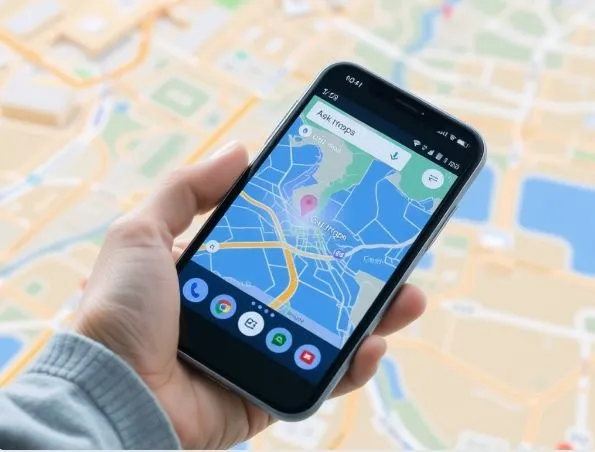
Think of Ask Maps like texting a really well-travelled friend who somehow knows every business, park, and hidden gem in your city. Instead of typing keywords into a search bar, you just ask — in plain, normal human language.
So instead of “café charging port,” you type something like, “Hey, where can I charge my phone without waiting in a long coffee line?” And Gemini actually thinks about that. It doesn’t just throw a list of cafés at you. It considers reviews, current hours, photos people have posted, how busy places tend to get — and then gives you a tailored answer with a custom map built around your specific situation.
It gets even better for trip planning. Say you’re trying to put together a weekend itinerary with multiple stops. Ask Maps can build that out for you, factoring in your past searches and saved places. So if you’ve been saving ramen spots for months, it knows you’re probably into that. It connects dots that you’d normally have to connect yourself.
This feature is live right now for users in the India and USA, on both Android and iOS. It’s the kind of thing that sounds simple on paper but, in practice, saves you a genuinely annoying amount of time.
The Second Big Thing: Immersive Navigation
Now, this one is for anyone who has ever missed a turn because the map looked flat and confusing — which is basically everyone at some point.
Google is calling this the biggest driving update they’ve made in over a decade, and that’s not just marketing fluff. Immersive Navigation completely rebuilds what you see when you’re driving. Instead of the usual 2D view with little icons, you now get rich 3D visuals — actual buildings rendered around you, terrain, overpasses, crosswalks, traffic lights, lane markings, signage. The map looks like the real world you’re driving through.
Here’s the clever part: Gemini is working behind the scenes, pulling from Street View imagery and aerial photos to make sure what you see on screen actually matches what’s outside your windshield. As you approach a tricky interchange or a confusing multi-lane junction, the map zooms in and highlights exactly what you need to focus on. No more squinting at your phone trying to figure out which lane to be in.
It also gets conversational. Before you even start driving, you can see route tradeoffs laid out clearly — like whether taking the toll road actually saves you meaningful time versus just sitting in traffic on the free route. And after you arrive, it doesn’t just go silent. It offers tips on nearby parking, things worth checking out, that kind of thing. The voice guidance sounds more natural too, less robotic, more like someone sitting in the passenger seat.
CarPlay and Android Auto support is included, which is a smart move since that’s where a lot of people actually use navigation.
Why Any of This Matters
At its core, what Google is really doing here is turning Maps from a lookup tool into something closer to a travel companion. The old Maps was reactive — you asked, it answered. This new version is proactive. It anticipates what you actually need, factors in real-world messiness, and delivers answers that feel personal rather than generic.
With over two billion people using Google Maps globally, even small improvements ripple out enormously. But these aren’t small improvements. Ask Maps and Immersive Navigation together represent a genuine shift in how navigating the real world with your phone is going to feel going forward.
If you are in the India or USA, it’s worth opening Maps today and looking for that Ask Maps button. Play around with it. Ask it something weird and specific. Chances are, it’ll surprise you.